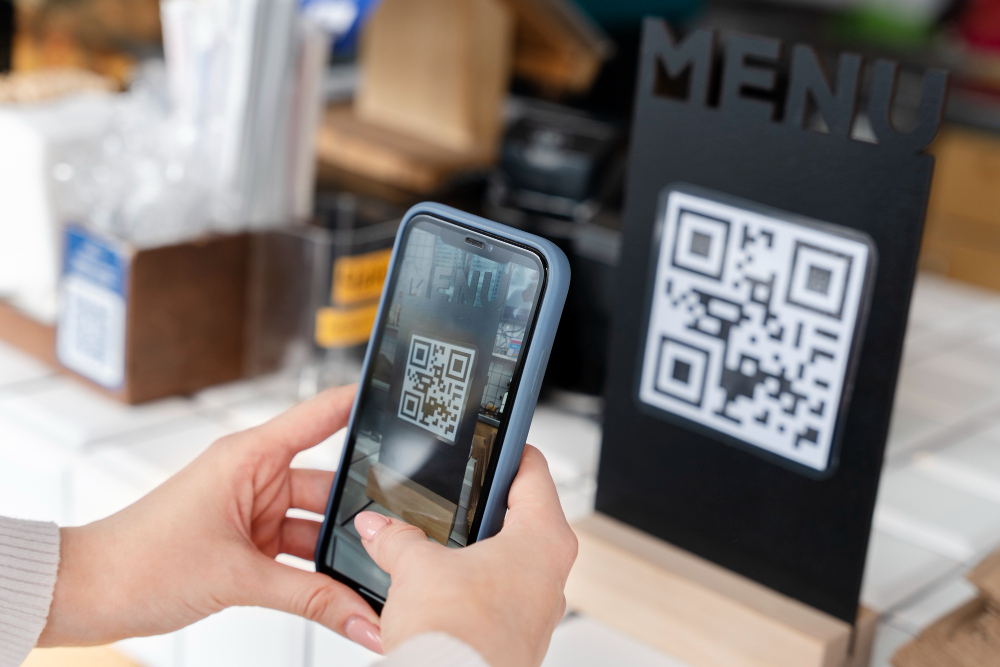
Have you ever walked into a restaurant, sat down at your table, and realized there was no physical menu in front of you? Instead, there was a small, uniquely checkered sticker stuck to the corner of the table.
That is what we know as food barcode or more precisely QR Code Menu.In the year 2026, this technology is no longer just a "cool" trend, but a standard for the culinary industry in Indonesia.
From aesthetic cafes in Jakarta to family restaurants across the region, the use of food barcodes has changed the way we interact with menus, order dishes, and make payments.
Well, coincidentally, in this article, we'll thoroughly explore what a QR Code Menu is and how this technology is key to success in today's culinary business. So, pay close attention!
What is a Food Menu QR Code?
Before we go further into how to use it, let’s first understand what this small item commonly referred to as a food barcode actually is.
1. Definition of QR Code
QR Code (Quick Response Code) is an evolution of the one-dimensional barcode (the black and white stripes you typically see on supermarket packaging). While a regular barcode can only store limited information, a QR Code can store thousands of characters of data in a two-dimensional matrix.
In the culinary business context, QR codes function as digital "entrance doors." Embedded within the code is a link (link) unique which, when scanned, will immediately direct your phone to a web page containing a complete menu list.
2. Functions in the Culinary Business (Digital Menu & Contactless)
Its main function is as Menu Digital. However, in the year 2026, its functionality has become much more sophisticated. Beyond simply displaying a list of foods, food barcodes now allow customers to:
- Contactless Ordering: Order food directly from the table without having to call the waiter.
- Real-time Update: View food stock directly (if it runs out, the menu will automatically say "Sold Out").
- Payment Integration: Directly pay for orders using QRIS or other digital wallets on the same page.
Read also: Understanding Cross-Contamination: What It Is and How to Prevent It
Why Are QR Menus Increasingly Used in Restaurants?
If you are a culinary business owner, maybe you ask:"Why should I bother using food barcodes when a printed menu will still work?"The answer lies in efficiency and customer experience in the digital age.2026.
1. More Hygienic and Contactless
With increasing global health awareness, customers are now more discerning. Physical menus handled by hundreds of people daily can become a breeding ground for bacteria.
With food barcode, customers just touch their own personal mobile phones.
2. Speed up the ordering process
Imagine a busy restaurant. Customers have to wait for the waiter to come with menus, then wait for the waiter to return to take their order, and sometimes mistakes happen.
With QR Menu, customers can simply scan, select a menu item, and have their order go directly to the kitchen. Service speeds increase by up to 30%!
3. Reduce Menu Printing Costs
Printing a high-quality menu with beautiful photos isn't cheap. Not to mention, if there's a price change or a new menu, you'll have to reprint everything.
With food barcodes, you simply change the data in the system, and within seconds, all the QR codes on your tables will display the updated information. Save money, save paper!
4. Easier to Update Menus and Prices
Culinary trends move fast. Maybe you want to run a "Buy 1 Get 1 Free" promotion today, just for lunch.
Using a physical menu makes this difficult. With a digital QR system, you can automatically schedule menus based on the time of day.
Read Also: Understanding Scale Up: The Key to Business Growth, Here's the Strategy!
How to Scan Food Menu Barcodes Using Your Mobile Phone
As customers, sometimes we are still confused about how to scan the code. In the year2026, almost all smartphones already equipped with advanced technology for scanningfood barcodewithout the need to download additional applications.
Method 1: Using a Web Browser
Well, this one is the most universal way that can be used by almost all types of smartphones.

- Open the browser app on your phone (Google Chrome for Android or Safari for iPhone).
- Make sure your internet connection is stable.
- Site accesswebqr.com.
- Tap the camera icon and select “Allow” for camera access.
- Point your phone camera at food barcode on the table.
- A menu link will appear automatically. Click it to start selecting a dish.
Method 2: Using Google Features (Google Lens)

This second way is the fastest way for Android users, but it can also be done on iPhone via the Google app.

- Open the application Google or tap the Google search bar on the home screen.
- Tap the icon Camera (Google Lens) which is to the right of the search field.
- Point the camera at the QR Code.
- Google will intelligently recognize the link. Tap the link that appears above the code to open the menu.

Method 3: Using the Smartphone Camera (Built-in)

The latest cell phones usually have an automatic scanner in their standard camera application.
- Open the applicationCamerayour phone's default.
- Make sure the "Scan QR Codes" feature is active in the camera settings.
- Point the camera towards the food barcode. Make sure the code fits into the focus frame.
- A pop-up containing a link or small icon will appear on the screen. Tap it, and a digital menu will open.
Benefits of Using QR Code Menus for Culinary Businesses
In addition to the operational benefits already mentioned, there are other strategic advantages for business owners:
- Customer Data Collection: You can find out which menus are most frequently viewed, what time customers order the most, and what trends are popular.
- Automatic Up-selling: The QR Menu system can be set to offer extras (e.g.:"Want more mozzarella cheese?") automatically when customers select a particular menu. This has been proven to increase the average transaction value (average check).
- More Attractive Visuals: You can include short videos or high-definition photos of your dishes—something that is not possible with traditional paper menus.
FAQ for QR Code (Food Barcode)
1. Do customers need to have a special application to scan the menu?
No. As explained above, customers can simply use their phone's built-in camera or browser.
2. What if the lighting in the restaurant is dim? Can the barcode be scanned?
Modern QR codes are designed with a high degree of error correction. However, it's recommended to place the QR code in a low-light location or use a sticker material that doesn't reflect too much light.
3. Is this system safe from hackers?
It's perfectly safe as long as you use a trusted ordering system provider like ESB. Make sure the embedded link points to your restaurant's official domain.
4. Can customers pay directly by scanning the menu?
Yes, if the QR Menu system is integrated with a digital payment system (e-wallet/QRIS).
Conclusion
Use food barcode is no longer an option, but a necessity to stay relevant in the F&B industry in 2026. However, simply having a digital menu in PDF format is not enough.
Customers want a seamless experience: scan, order, and pay in one place. Here it is ESB Order present as the best solution for your business.
Don't make your customers wait long just to see the menu. Give them the convenience of today's technology with ESB Order. Turn every table in your restaurant into an efficient vending machine!
Ready to transform your restaurant into a more modern and profitable one? Try ESB Order now and experience the convenience! Contact the ESB Team on WhatsApp now.


